
Lecture Recording to Text Converter
Convert your lecture recording into text and key summaries online. Fast, secure, and easy to use.
Convert Lecture Recording with Professional Accuracy
Powerful features designed for accurate transcription and clear summaries
AI Transcription
Convert lecture recording files into accurate text transcripts automatically. Ideal for reviewing classes, meetings, or training sessions without manual typing.
Smart Summaries
Generate clear key point summaries from long lecture recordings, helping you quickly understand and revisit important content.
Fast Transcription
Upload your lecture recording and convert voice to text in minutes, even for lengthy audio files.
Speaker & Timestamps
Automatically identify speakers and add timestamps to your lecture recording transcripts, making it easy to follow discussions and jump to key moments.
No Software
Convert lecture recording files directly in your browser with no downloads or setup required. Get started instantly on any device.
Secure & Private
Your lecture recording files are protected with 256-bit SSL encryption during upload and processing. All data is automatically deleted within hours, ensuring complete privacy when using AudioConvert.
How to Convert Lecture Recording to Text?
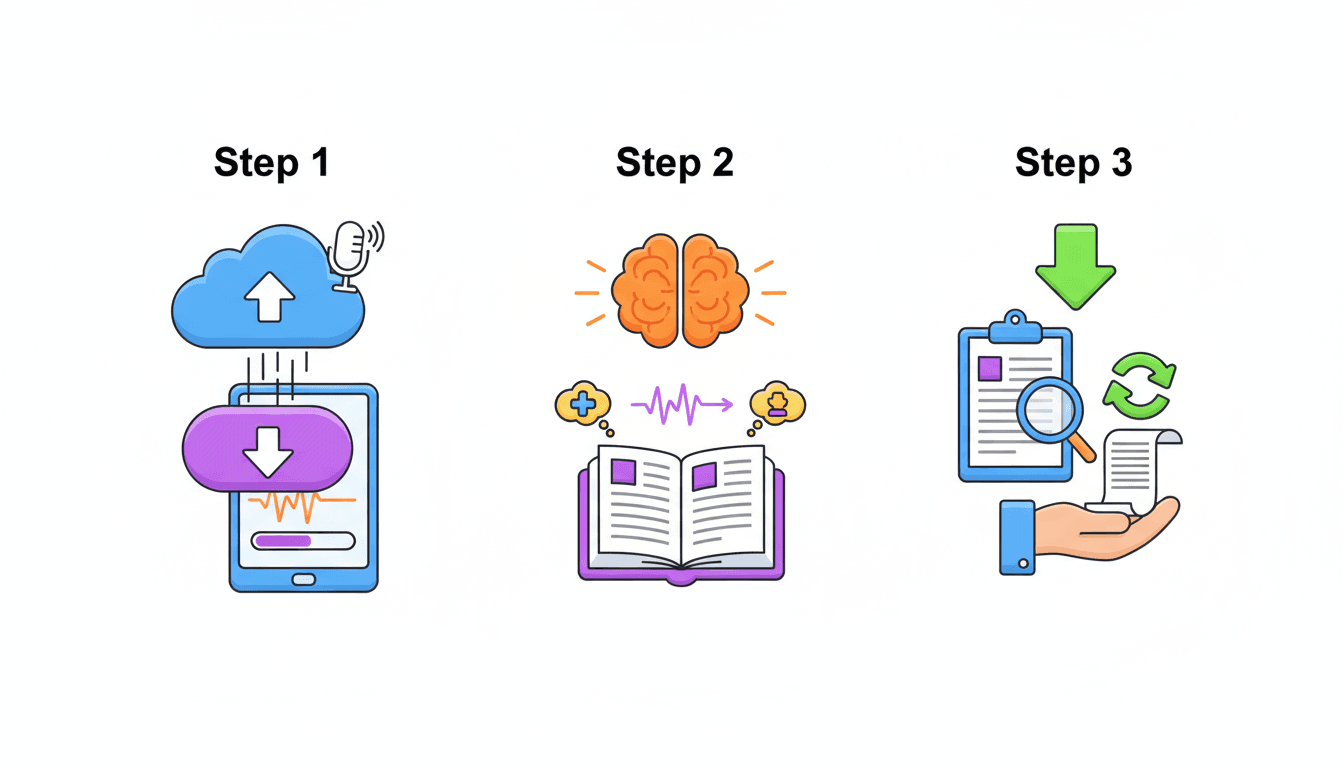
Step 2 — AI transcription and summary
AudioConvert automatically transcribes your lecture recording and converts voice to text with clear formatting. Key point summaries are generated to help you review the content faster.
Step 3 — Download, copy, or save your audio
Once processing is complete, download the transcript, copy the text for notes or sharing, or save the audio for later review.
What Users Say About AudioConvert

Emily Carter
University Student

Daniel Brooks
Graduate Research Assistant

Sophia Nguyen
Online Course Creator
Michael Thompson
Corporate Trainer

Laura Jensen
Medical Student

Ryan Patel
Education Consultant
Instant Transcription & Summary
Start Converting Your Lecture Recording
Upload your lecture recording and instantly transcribe the audio recording to text with AI-powered summaries. Fast, secure, and works online with no installation required.
Start For FreeFrequently Asked
Common questions about using our free online Lecture Recording to Text converter.